

How to Make a Poster for School: Academic Guide
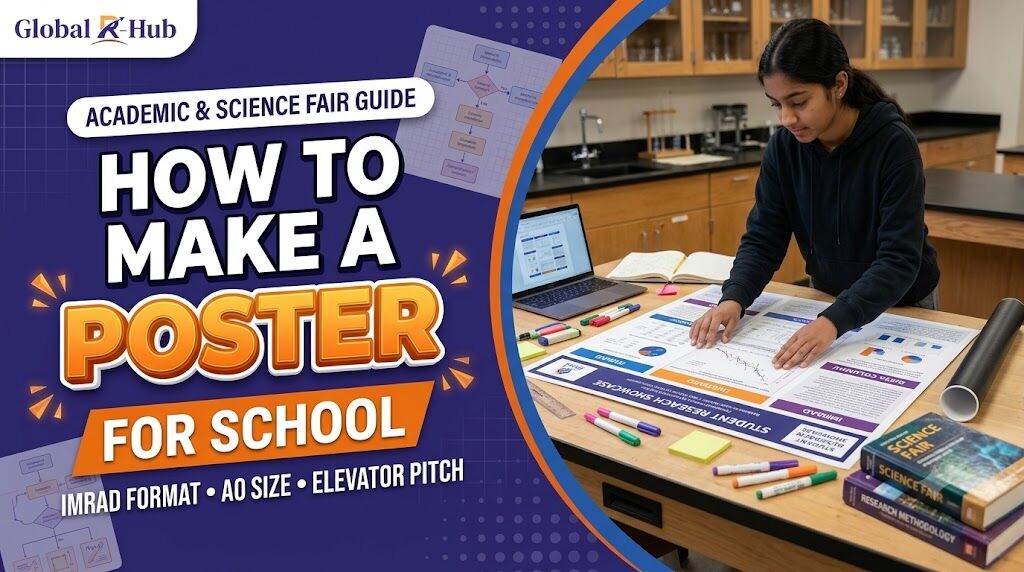
How to Make a Poster for School: The High School Academic Research Guide
If you are searching for how to make a poster for school, you must first determine the level of competition you are entering. Designing a poster for a standard classroom history project is very different from designing an academic research poster for an international science fair or a university symposium. For high school students building a research profile for global university admissions, the standard trifold board covered in construction paper is no longer sufficient. Admissions committees and symposium judges expect you to follow the strict formatting, typography, and data visualization rules used by professional scientists and university researchers.
At a Glance: Academic Poster Standards
Standard Size: A0 (841 x 1189 mm or 33.1 x 46.8 inches), typically oriented horizontally (landscape).
Structure: The IMRaD format (Introduction, Methods, Results, and Discussion).
Word Count: 300 to 800 words maximum. A poster is a visual summary, not your full paper.
The 3-Second Rule: A judge walking past your poster should understand your core research question and primary finding within three seconds.
Software: Microsoft PowerPoint (using a custom slide size) or Adobe Illustrator.
On this page:
When learning how to make a poster for school, students often conflate a visual arts project with scientific communication. If you are presenting at an event like the Regeneron International Science and Engineering Fair (ISEF) or a university-sponsored symposium, you must abandon the classroom aesthetic.
Feature | Standard Classroom Poster | Academic Research Poster |
Physical Format | Trifold cardboard display | Single-sheet A0 paper (printed on a plotter) |
Content Focus | Broad summaries and bullet points | Falsifiable hypothesis and empirical data |
Visuals | Decorative clip art and stock photos | Data-driven charts, graphs, and methodology diagrams |
Objective | To show you completed an assignment | To defend an original research finding to domain experts |
An academic poster serves a single purpose: it acts as a visual networking tool to initiate a conversation about your research. It should not contain every detail of your experiment. Instead, it highlights the gap in existing literature, your methodology, and the statistical significance of your results.
Do not begin drafting your poster before configuring your digital canvas. If you design a poster on a standard 8.5 x 11-inch digital canvas and attempt to print it at a commercial printer later, the text will pixelate, and the formatting will collapse.
The international academic standard for conference posters is A0 size (841 mm x 1189 mm, or roughly 33.1 x 46.8 inches). Depending on the specific conference rules, this will be oriented in either landscape (horizontal) or portrait (vertical) mode.
While Canva offers visually appealing templates, it can sometimes struggle with exporting ultra-high-resolution A0 files containing complex vector graphs. The standard software used by university researchers is Microsoft PowerPoint.
To set this up in PowerPoint:
Open a blank presentation.
Navigate to the Design tab and click Slide Size > Custom Slide Size.
Enter the dimensions for an A0 poster (e.g., Width: 46.8 inches, Height: 33.1 inches).
Ensure your file is saved frequently, as placing high-resolution graphs onto a canvas this large requires significant processing power.
An academic poster must follow a logical flow that domain experts recognize instantly. You should organize your content into columns (typically three or four, reading left to right, top to bottom) utilizing the IMRaD framework.
1. Title and Author Block (Top Center)
Your title must be readable from at least 15 feet away. Keep it under 15 words, focusing strictly on the research outcome rather than a clever pun. Directly below the title, list the authors (you, your co-authors, and your faculty mentor) followed by your institutional affiliations.
2. Introduction / Background (Top Left)
Do not write a multi-paragraph essay. Use three or four bullet points to establish the context of your study. What is the current gap in the scientific literature? Conclude this section by clearly stating your research question or falsifiable hypothesis.
3. Methods (Middle Left or Center)
How did you test your hypothesis? Judges care deeply about methodology because flawed methods produce invalid results. Instead of writing out your procedure, use a flowchart or diagram to visually explain your experimental design, sample size, and control variables.
4. Results (Center and Top Right)
This is the most critical section of your poster and should occupy the most physical space. Avoid text entirely if possible. Present your findings using high-contrast bar charts, scatter plots, or data tables. Ensure every chart has a clearly labeled X and Y axis, a descriptive legend, and a caption summarizing the statistical significance (e.g., your p-value).
5. Discussion and Conclusion (Bottom Right)
Summarize what your results actually mean in the real world. Did the data support your hypothesis? What are the limitations of your study (e.g., a small sample size)? End with a brief statement on future research directions.
If you are struggling to narrow down a broad interest into a testable hypothesis that fits this structure, reviewing vetted research project ideas can help you scale a large concept down into a focused, highly presentable academic poster.
The most common reason high school students fail at symposiums is that their posters are unreadable. A judge walking through a crowded exhibition hall will give your poster a three-second glance. If they cannot identify your core finding in those three seconds, they will keep walking.
To pass the three-second test, you must adhere to strict typographic hierarchy and embrace white space. "White space" refers to the empty areas between your text blocks and images; it gives the reader's eyes a place to rest and prevents cognitive overload.
Academic Typography Guidelines:
Title Font: 85-point to 120-point (Readable from 15+ feet away).
Section Headers (H2): 60-point to 72-point.
Body Text: 32-point to 48-point. Never use a font smaller than 24-point on an A0 poster.
Font Family: Use clean, sans-serif fonts for titles and headers (such as Arial, Helvetica, or Calibri) as they are easier to read from a distance. You may use serif fonts (like Times New Roman or Garamond) for body text to aid in reading speed.
Color Rules:
Avoid dark backgrounds with light text (e.g., white text on a navy background), as this causes eye strain and frequently prints poorly. Stick to a clean white or light gray background with dark, high-contrast text. Use color sparingly and intentionally for instance, use a single accent color to highlight the most important data point in your Results graph.
A meticulously designed poster is useless if you cannot defend the research behind it. At an academic symposium, you are required to stand next to your poster for several hours to answer questions from wandering academics, judges, and peers.
You must prepare a 60-second to 90-second "elevator pitch." When a judge approaches and says, "Tell me about your research," do not turn around and read your poster out loud to them. They can read it themselves. Instead, maintain eye contact and walk them through the narrative of your study:
The Hook: What specific problem were you trying to solve?
The Action: What exactly did you do in the lab or in your data set to test this?
The Finding: What was the single most important piece of data you uncovered?
The Impact: Why does this finding matter to the broader scientific community?
Translating complex data into a visually striking poster and a compelling oral defense is an advanced skill. If you are preparing for competitive global symposiums, engaging in structured mentorship through the High School Scholar Program pairs you with active university faculty who will critique your poster formatting, interrogate your methodology, and conduct mock defense sessions long before you present to a live judging panel.
Once your poster and pitch are polished, presenting your findings at a globally recognized academic forum like the ICONSTARS conference provides the verified, peer-reviewed exhibition experience that elite university admissions committees actively look for on student resumes.
What is the best software to make an academic poster for school?
Microsoft PowerPoint is the industry standard for academic posters because it allows users to easily set custom dimensions (like A0) and handles high-resolution data graphs well. Adobe Illustrator is excellent for advanced users, while Canva can be used for simpler designs provided the export settings are adjusted for high-quality print.
How many words should an academic poster have?
A standard academic poster should contain between 300 and 800 words in total. The goal is to minimize text and maximize data visualization; if a concept can be explained using a flowchart or a graph rather than a paragraph, you should always choose the visual option.
What size is a standard school science fair poster?
While traditional middle school science fairs often use 36 x 48-inch trifold cardboard boards, formal academic symposiums and international competitions require a single-sheet poster printed at A0 size (841 x 1189 mm, or 33.1 x 46.8 inches).